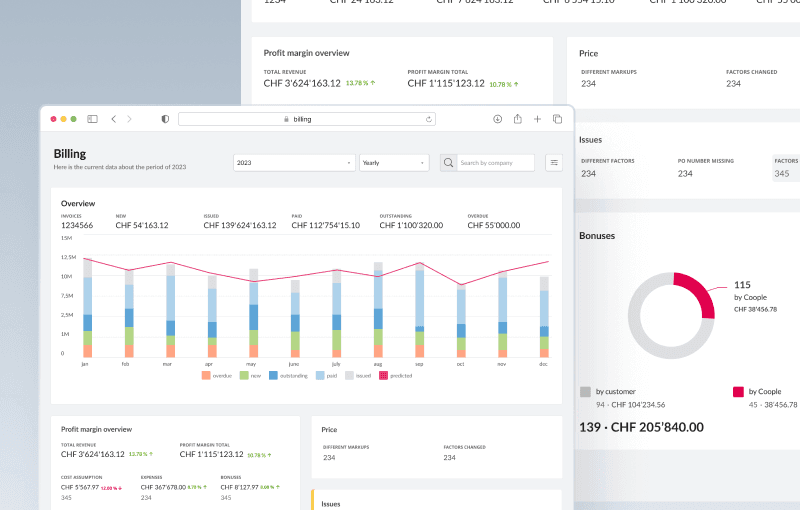
Business rules configurator
Coople connects flexible workers with businesses.
However, setting up business rules a critical functionality for accurately calculating overtime and holiday pay, and ensuring compliance with Swiss🇨🇭 market regulations was highly complex and technical.
I led the UX design of the new Business Rules Configurator and simplify the configuration process to be accessible for both technical and non-technical users
Company:
Coople

The Challenge
How do you design a payroll configuration tool that’s powerful enough to handle 200+ rule variations—but intuitive enough for new finance staff to use with confidence?
Coople’s backoffice needed a smarter solution for handling custom salary formulas across multiple clients in Switzerland, where legal surcharge rules vary widely.
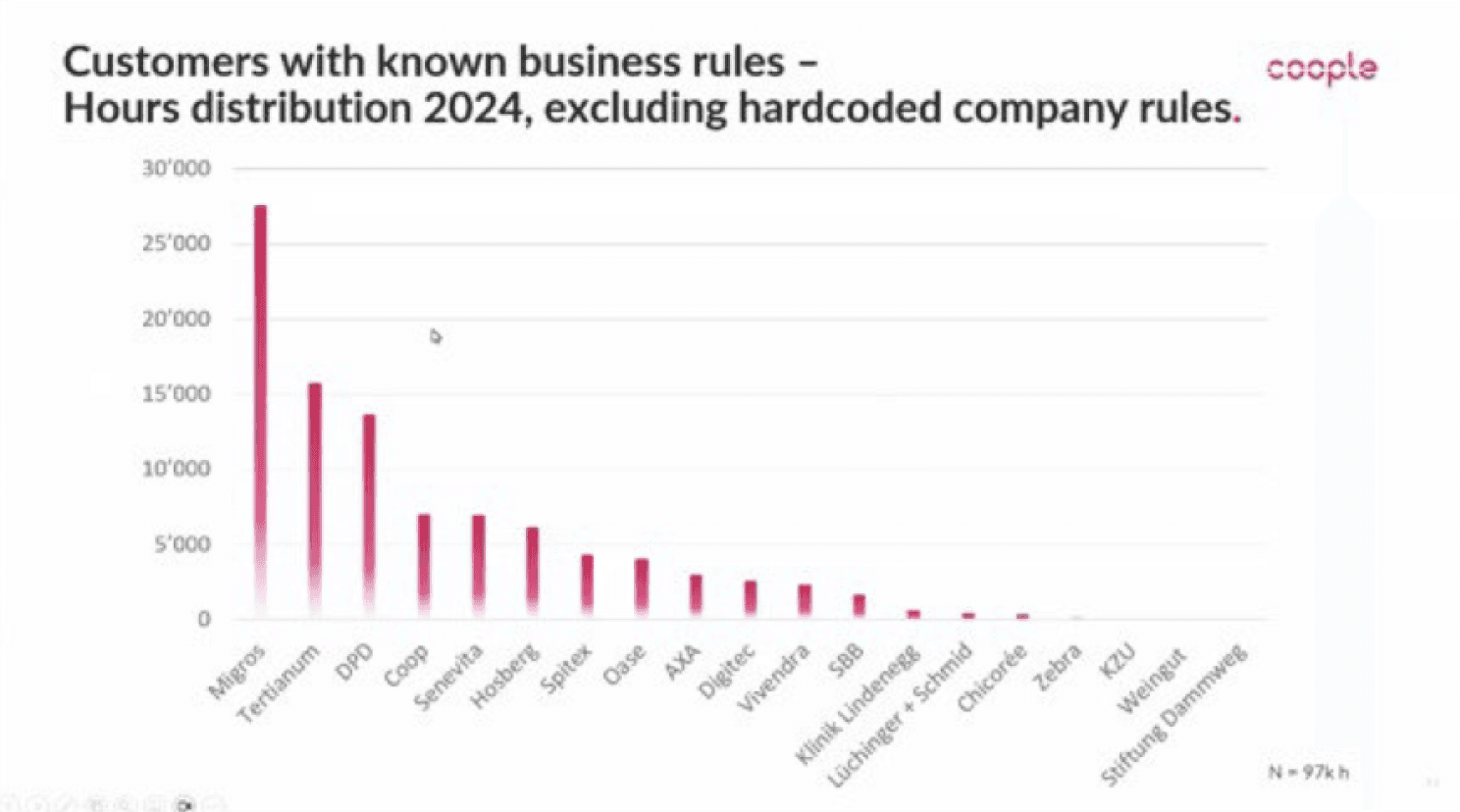

Problem Overview
The original business rule configuration process required deep technical knowledge, involving manual coding and complex interactions. This created significant challenges: Dependence on IT teams, causing bottlenecks and delays, lengthy and error-prone rule setup, lack of flexibility to adapt to evolving business scenarios
The financial team spent an average of 40 hours each week manually correcting errors caused by an outdated and inefficient rules management system. The new configurator needed to dramatically reduce this time by enabling flexible rule creation that could:
⚹ Handle complex, formula-based calculations
⚹ Support custom timeframes, weekly schedules, and holiday exceptions
⚹ Comply with Switzerland’s strict labor and overtime regulations
⚹ Adapt to varying company-specific policies


My task
Create a no-code rule configuration UI that allows accountants:
⚹ Create, edit, and manage salary formulas independently.
⚹ Ensure compliance with Swiss labor laws.
Reduce manual correction time and increase accuracy.
Metrics
⚹ Improve rule accuracy
⚹ Reduce error rates

Faster onboarding of new finance team members
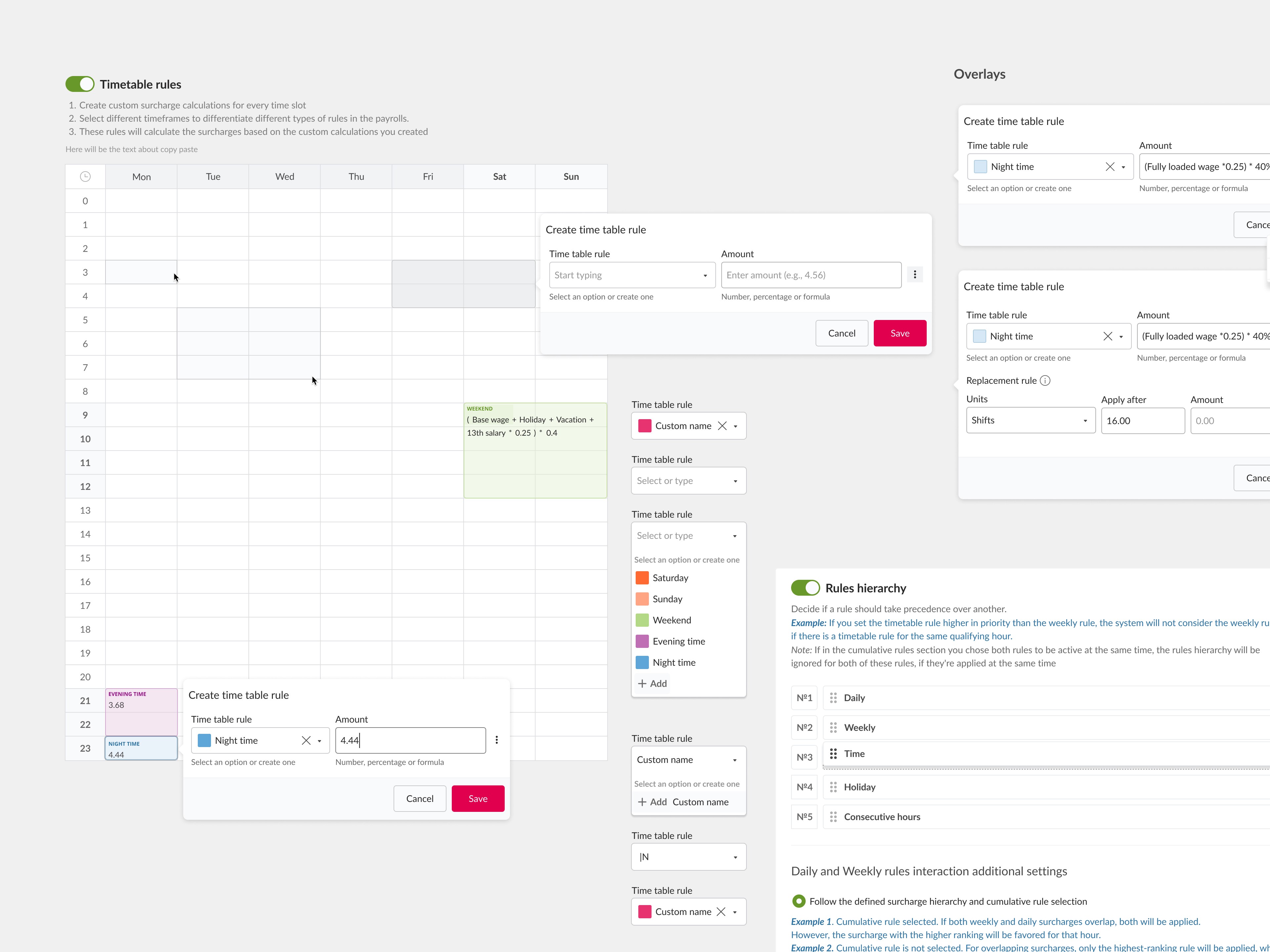
Solution and Process
Research
Conducted expert interviews with Swiss labour‑law specialists and senior payroll SMEs to capture all surcharge scenarios and compliance constraints.
Information Architecture
Modeled a rule structure and produced low‑fidelity wireframes to validate the configuration hierarchy with stakeholders.
UI design
Explored multiple layout concepts and held structured design critiques with back‑office users, product, engineering, and design leadership.
Design System
Beyond the configurator itself, I turned the solution into reusable building blocks for the company design system, so other product teams could build complex settings interfaces consistently.
Usability testing
Ran scenario‑based sessions with accountants on the MVP, measuring task‑completion time, error rates, and perceived clarity.
Post-Testing Changes
Integrated insights to streamline workflows, tighten copy, and add real‑time validation.
Design System Contribution
I designed and documented the components the configurator:
Rule card
Toggleable container with a title, a description and input fields (used for Daily, Weekly and Holiday rules)

Value type switcher
Segmented control for Number / % / Formula (fx)

Select + Creation
Dropdown with colour tags that lets users pick an option or create a new one

Timetable grid
Weekly time-slot grid with colour-coded rule areas.

Stepper navigation
Side navigation for long multi-section forms

Sortable list
Drag-and-drop ordering for the rules hierarchy

For each component I defined its variants, states (default, hover, focus, disabled, error), sizing and usage rules.
Accessibility documentation
I wrote accessibility guidelines for every component:
⚹ Keyboard interaction: tab order, arrow-key navigation in the timetable grid, and a keyboard alternative to drag-and-drop in the hierarchy list
⚹ Focus states and visible focus indicators
⚹ Colour contrast checks, plus the rule that colour is never the only carrier of meaning (rule tags always have text labels)
⚹ Screen reader behaviour: labels, ARIA roles and how validation errors are announced
⚹ Clear, accessible error messages for formula validation

Usability testing

With Product Manager I organised an MVP testing session with 2 participants (accountants)
Results:
✧ 2 participants manage to finish task correctly
✧ It took them from 10 to 15 min to set the basic rule
✧ No major issues in the interface
✧ Opportunities for changes (tooltips, interactions)
Outcome
The redesigned Business Rules Configurator significantly improved user experience and operational efficiency:
⚹ 60% reduction in rule configuration time.
⚹ 40% fewer errors due to intuitive design and built-in guidance.
⚹ Empowered non-technical users to configure rules independently.
⚹ Highly positive user feedback on usability and accessibility.
The configurator now effectively supports Coople's dynamic business needs, reinforcing the critical role UX design plays in bridging user needs and complex business processes.
It also gave businesses the flexibility to customize rules to fit their unique operational needs, making Coople’s platform even more competitive in the staffing industry.