
TMS: Training participant details
Training Management System (TMS) is an internal platform designed to support instructor-led training workflows, participant assessments, and proficiency tracking in highly regulated environments.
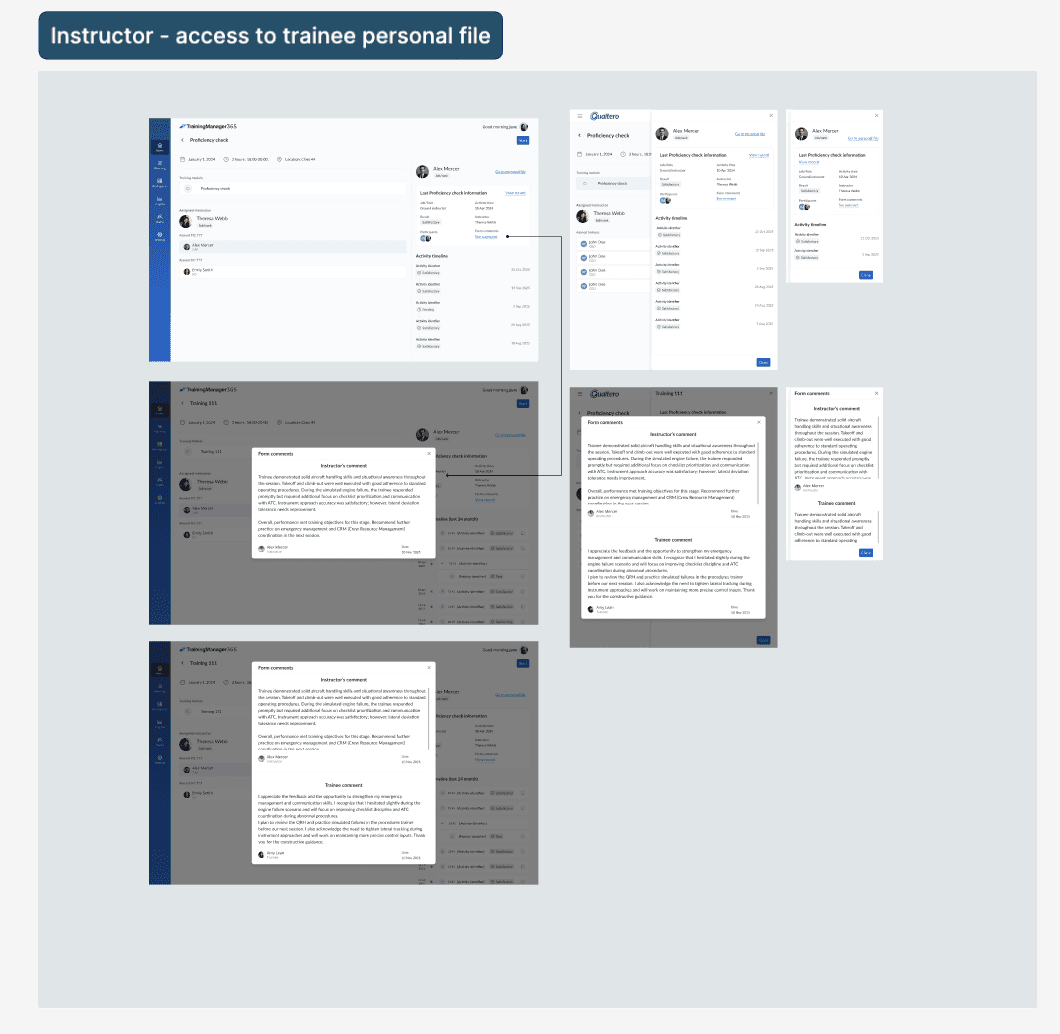
This feature focused on giving instructors structured access to trainee training history, previous proficiency checks, instructor comments, and activity timelines — while maintaining strict compliance requirements around sensitive data visibility.
Company:
NDA

Problem
Instructors had no structured view of a trainee's course history and proficiency status before a check session.
Two core constraints shaped every design decision:
01
Strict compliance
⚹ Instructors see only data for their assigned session
⚹ Avoid and hide irrelevant personal data
⚹ Role-gated access enforced at UI and API level
02
Technical constraints
⚹ Large data loads: timelines, files, assessments
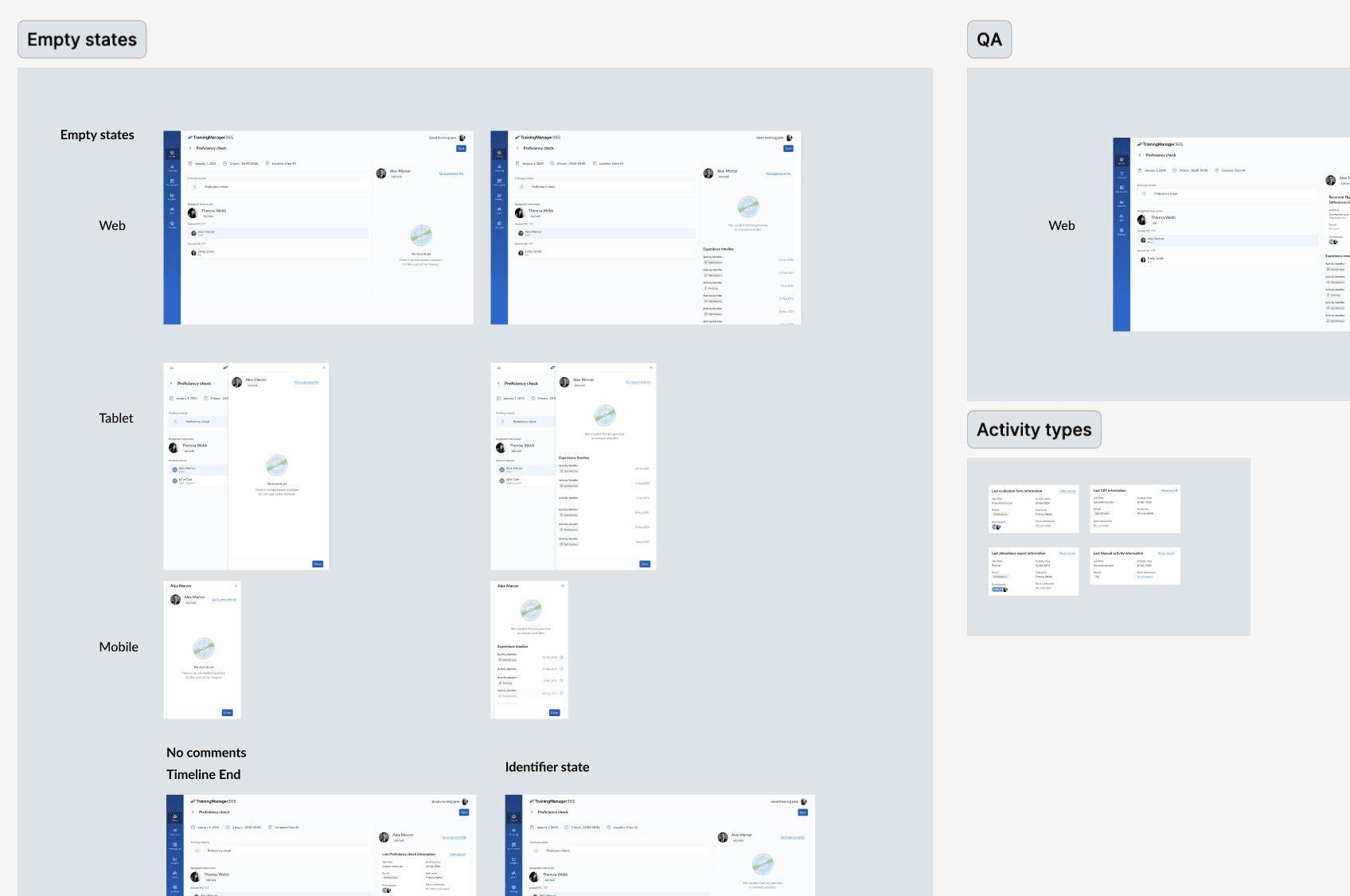
⚹ Corner cases for multiple states included empty states
My task
Define the roles who will use this feature, structure the information hierarchy, determine what instructors need to see, follow technical limitations, and design an optimised interface for complex data loads.
Instructor
⚹ Instructors see only data for their assigned session
⚹ Avoid and hide irrelevant personal data
⚹ Role-gated access enforced at UI and API level
Trainee (CAP / FO)
⚹ Instructors see only data for their assigned session
⚹ Avoid and hide irrelevant personal data
⚹ Role-gated access enforced at UI and API level
Planner / Admin
⚹ Large data loads: timelines, files, assessments
⚹ Corner cases for multiple states included empty states
Information Architecture
To support complex data loads, I structured the interface into clear sections:
participant overview,
previous proficiency check information,
activity timeline,
instructor comments,
historical results,
participant identifiers.
The layout prioritized quick scanning and progressive disclosure of details.
Responsive Design
I designed adaptive layouts for:
web,
tablet,
and mobile.
The experience preserved hierarchy and usability across screen sizes by:
reorganizing content blocks,
simplifying layouts on smaller screens,
and maintaining visibility of critical information.
Outcome
"The interface was presented to clients during product demos and aviation training conferences — receiving positive feedback for its clarity, compliance-aware structure, and the way it fit naturally into instructors' preparation workflow."
The solution also improved consistency in instructor preparation and reduced reliance on fragmented information sources.
Business Value
Improved instructor preparation efficiency.
Reduced time spent searching for trainee records.
Increased visibility into participant progression and historical evaluations.
Supported compliance requirements through controlled data exposure.
Added operational value to training preparation workflows.
Strengthened product presentation during client demos and conferences.
Contributed to a more scalable and structured training management process.


